Writing Unity shaders in VS Code has always felt like writing them in Notepad
with nicer colours. You get syntax highlighting for .shader and .hlsl
files, and that's about it: no idea what TEXTURE2D expands to, no warning when
GetMainLigth() is misspelled, and no way to jump into the URP include that
defines it.
ShaderLab Kit is the first RGX Studio extension, and it fixes exactly that.
It adds real IntelliSense to Unity's .shader, .hlsl, .cginc and .compute
files, layered on top of VS Code's built-in highlighting rather than replacing it.
ShaderLab Kit
rgx-studio.shaderlab-kit
code --install-extension rgx-studio.shaderlab-kitWhat it does
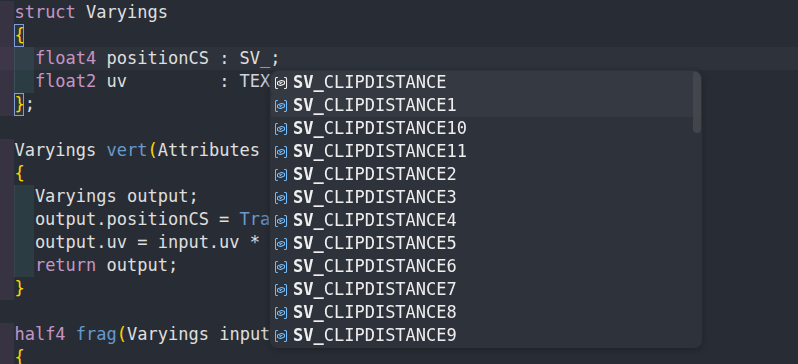
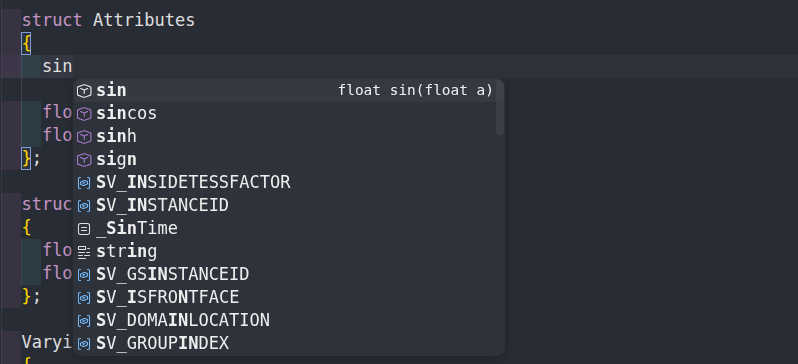
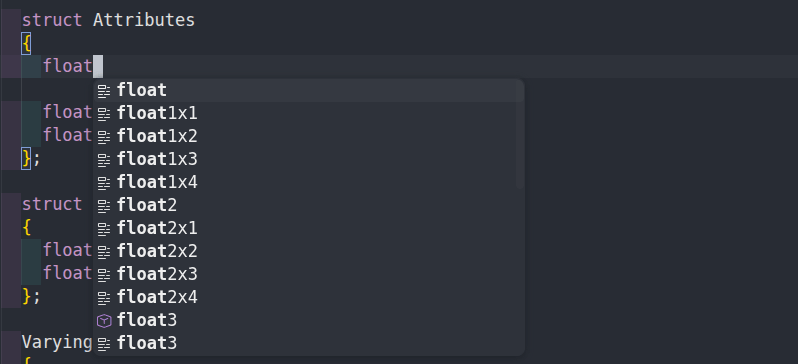
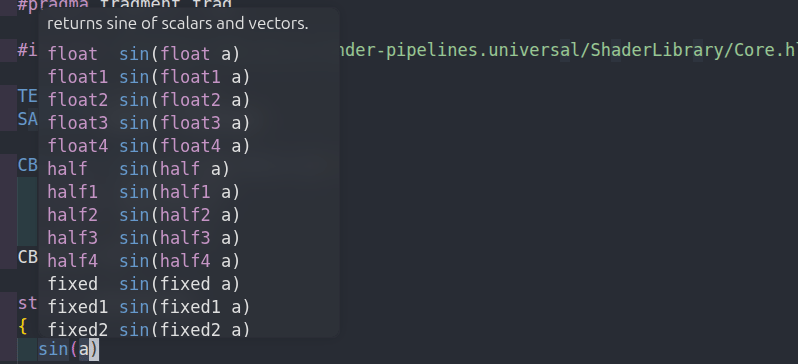
- Smart completion. HLSL intrinsics insert full call snippets
(
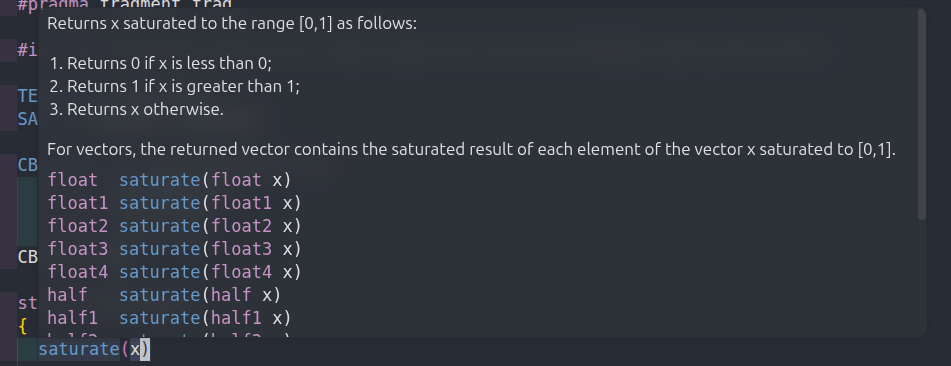
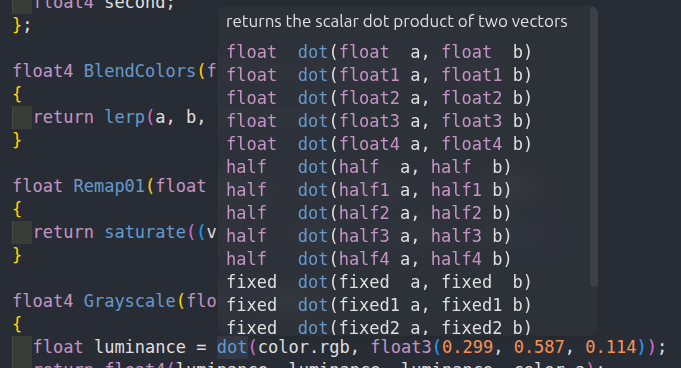
lerp(a, b, w)with tab stops), plus HLSL semantics (POSITION,TEXCOORD0,SV_Target), Unity/URP globals like_TimeandGetMainLight(), render-state values forBlend,ZWrite,ZTestandCull, ShaderLab property types, and#includepaths. - Hover documentation. Real explanations for semantics and Unity/URP globals, not just a type label.
- Diagnostics. Unbalanced brackets, misspelled Unity/URP macros ("did you
mean
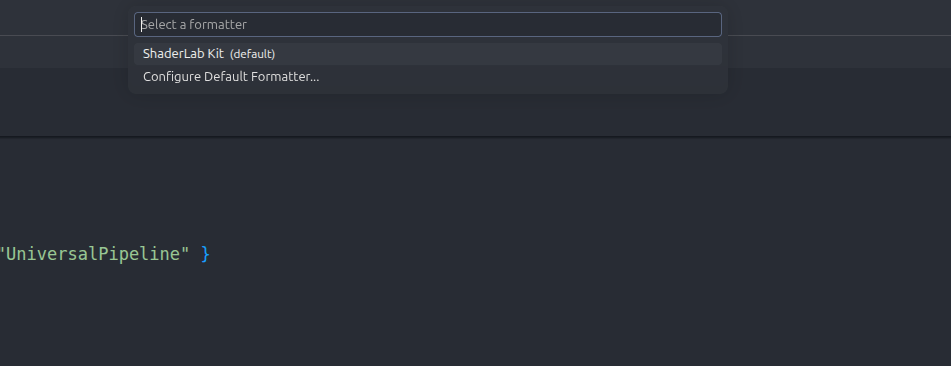
GetMainLight?") and the wrong number of arguments to HLSL intrinsics. - Formatting. Consistent bracing and indentation, one-line
Tags {},CBUFFER_START/CBUFFER_ENDindentation, and preprocessor-aware indenting. - Go-to-definition for
#include "..."andFallback "Shader/Name". - Unity-aware
#includeresolution that understandsPackages/...andLibrary/PackageCache/..., and detects your Unity Editor install. - Snippets for a full URP shader,
Passblocks, structs and vertex-transform boilerplate.
See it in action
Completion
Hover docs
Formatting
Getting started
Install the extension
Search for ShaderLab Kit in the Extensions view, or run:
code --install-extension rgx-studio.shaderlab-kitOpen a Unity project
ShaderLab Kit works on any shader file, but #include resolution and Editor
detection work best when VS Code is opened on a Unity project folder.
Write a shader
Start a new .shader file and type shader to expand the full URP template. Completion,
hover and diagnostics kick in as you type.
Here's the kind of shader it's built for. Every highlighted line is something
the extension understands: the URP include resolves (Ctrl/Cmd-click opens it),
and TEXTURE2D, SAMPLER and SAMPLE_TEXTURE2D get completion and hover docs.
Shader "RGX/Unlit"
{
    Properties
    {
        _BaseMap ("Base Map", 2D) = "white" {}
        _BaseColor ("Base Color", Color) = (1, 1, 1, 1)
    }
    SubShader
    {
        Tags { "RenderType" = "Opaque" "RenderPipeline" = "UniversalPipeline" }
        Pass
        {
            HLSLPROGRAM
            #pragma vertex vert
            #pragma fragment frag
            #include "Packages/com.unity.render-pipelines.universal/ShaderLibrary/Core.hlsl"

            TEXTURE2D(_BaseMap);
            SAMPLER(sampler_BaseMap);

            CBUFFER_START(UnityPerMaterial)
                float4 _BaseMap_ST;
                half4 _BaseColor;
            CBUFFER_END

            struct Attributes { float4 positionOS : POSITION; float2 uv : TEXCOORD0; };
            struct Varyings { float4 positionHCS : SV_POSITION; float2 uv : TEXCOORD0; };

            Varyings vert(Attributes input)
            {
                Varyings output;
                output.positionHCS = TransformObjectToHClip(input.positionOS.xyz);
                output.uv = TRANSFORM_TEX(input.uv, _BaseMap);
                return output;
            }

            half4 frag(Varyings input) : SV_Target
            {
                half4 color = _BaseColor;
                color *= SAMPLE_TEXTURE2D(_BaseMap, sampler_BaseMap, input.uv);
                return color;
            }
            ENDHLSL
        }
    }
}Settings worth knowing
Everything lives under ShaderLab Kit in the Settings UI (shaderlabKit.*).
The ones you're most likely to touch:
| Setting | Default | What it does |
|---|---|---|
formatting.preprocessorStyle | Hierarchy | How #if blocks indent: Hierarchy, Follow Code, Flush Left or None. |
formatting.tags.singleline | true | Collapse Tags { ... } onto one line. |
include.customPaths | [] | Extra folders to search when resolving #include. |
include.unityEditorPathOverride | "" | Point at your Unity Editor if auto-detection misses it. |
How it's built
ShaderLab Kit runs entirely in-process, with no language server, and injects its
grammar into VS Code's built-in shaderlab and hlsl languages instead of
shipping replacements. That keeps it light, and it means themes and other
extensions that target those scopes keep working.
What's next
The current release is 0.2.1, which lowered the minimum VS Code version to 1.85. On the roadmap:
- Shader-variant analysis that counts
multi_compile/shader_featurecombinations and warns before they explode. - A symbol cache for faster, indexed go-to-definition on big projects.
- Selection-aware range formatting.
Found a bug or want a feature? Open an issue on GitHub, or get in touch.